

Your home, with its manuals, its schedule, and its history.
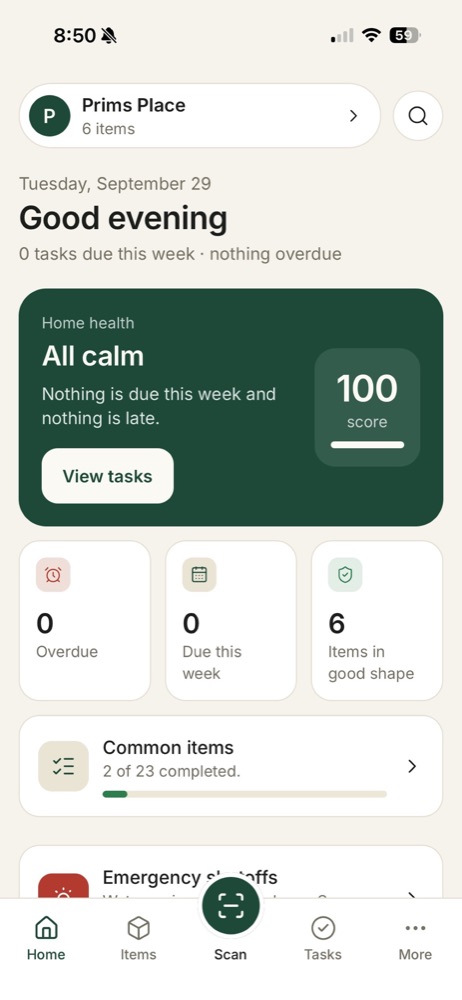
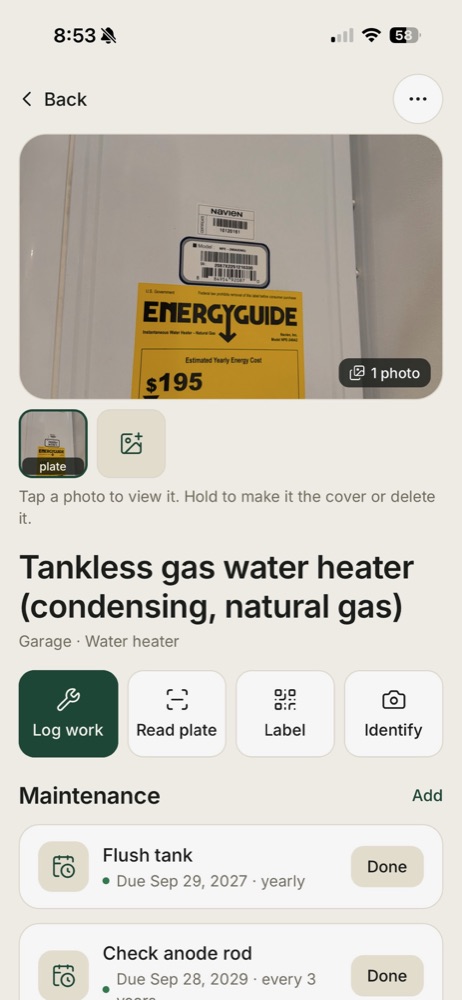
Point your phone at the furnace, the water heater, the washer. HomeRunner reads the plate, finds the manual, sets the maintenance schedule, and keeps the record of everything done, shared with everyone who lives there.
Coming soon to the App Store.
Point at anything
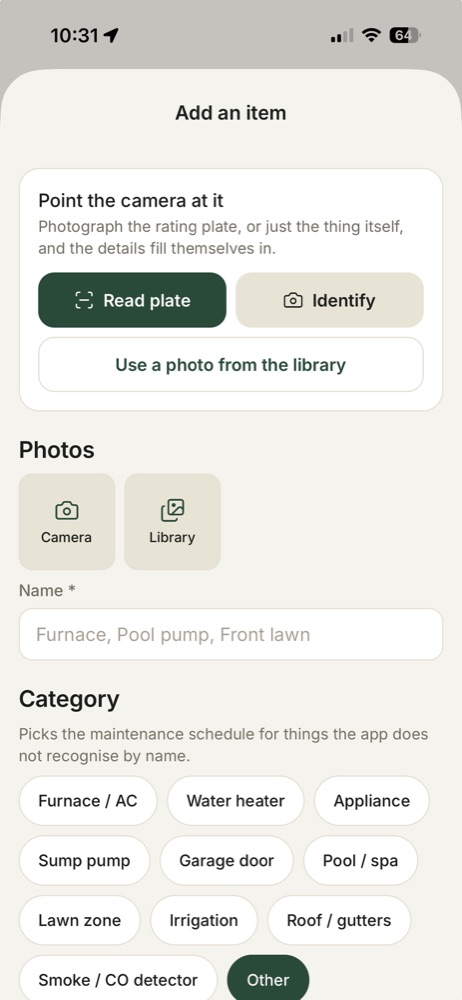
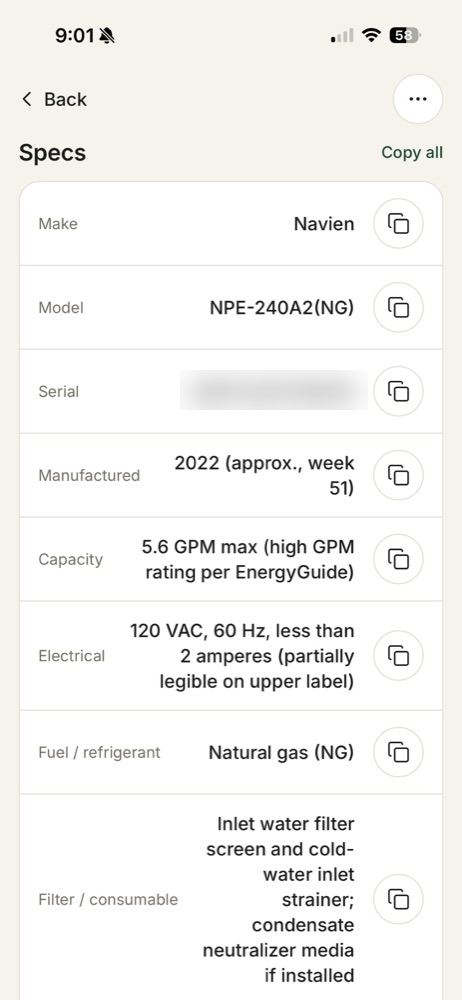
Scan a rating plate and the make, model, and serial are read for you. No plate in sight? A photo of anything is enough to start.
The manual finds you
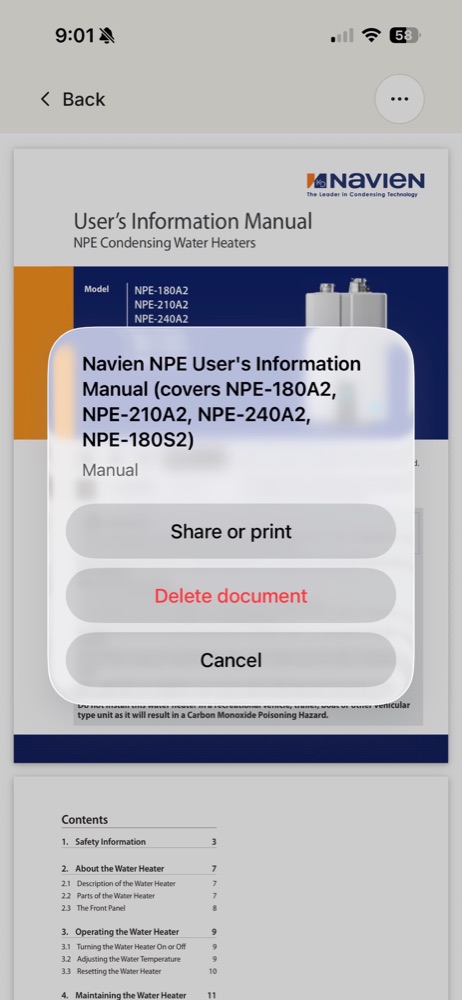
Give it a make and model and it searches the manufacturer's site, saves the right manual, and makes it searchable by page. The manual itself is readable offline.
Shared with the household
Individual accounts can join the same home. Finish a task on one phone and it is done on another. Reminders come the way each of you wants them.
How it works
- Add what you have. Walk the house once with the checklist, or scan things as you go. Every item gets a photo, a location, and its specs.
- Let the schedule run. Filters, flushes, cleanings, inspections: each item gets the maintenance it needs, and Tasks shows what is due, what is late, and what is next.
- Keep the record. Every completed task and every repair goes into a history in one place with a cost and who did it.
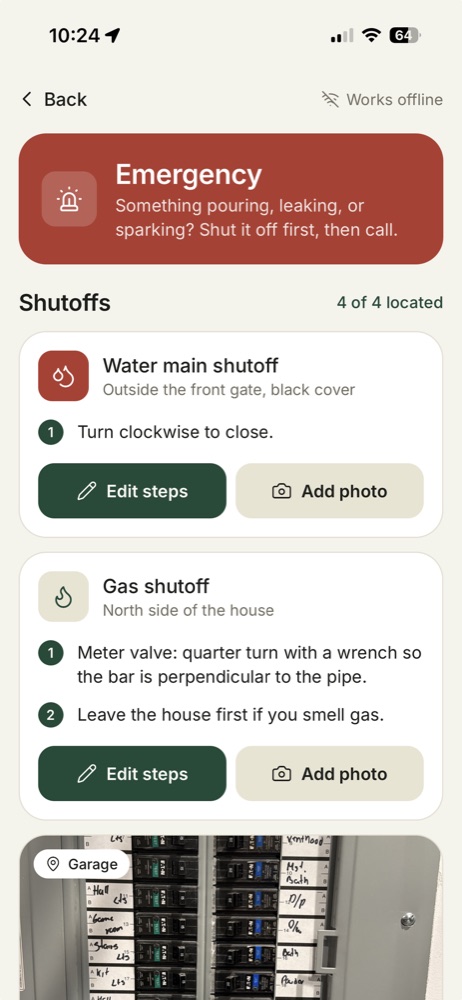
- Be ready for the bad day. The emergency page holds where the water, gas, and breakers shut off, with photos, and it works with no signal.
The paperwork does itself
- Scan a receipt. Photograph a receipt, invoice, or work order. It is read into a history entry, vendor, date, and total filled in for you to check, and the photo stays with the entry on every phone.
- The purchase comes first. A sales receipt becomes the item's first entry, marked Purchased, and fills in the installed date, the price, and the warranty.
- Cost and value. Every item shows what it cost, what repairs and upkeep have cost since, the cost per year, and its age against the typical life for its kind, with one plain line on where it stands.
- Warranties that remind you. The date a warranty ends lives on the item, read from the receipt or set by hand. A task lands a month before, so anything wrong gets claimed in time.
- The manual sets the schedule. Once a manual is on an item, pull its maintenance schedule out of it: every job the manual names, with how often and the page it is on, ticked to add.
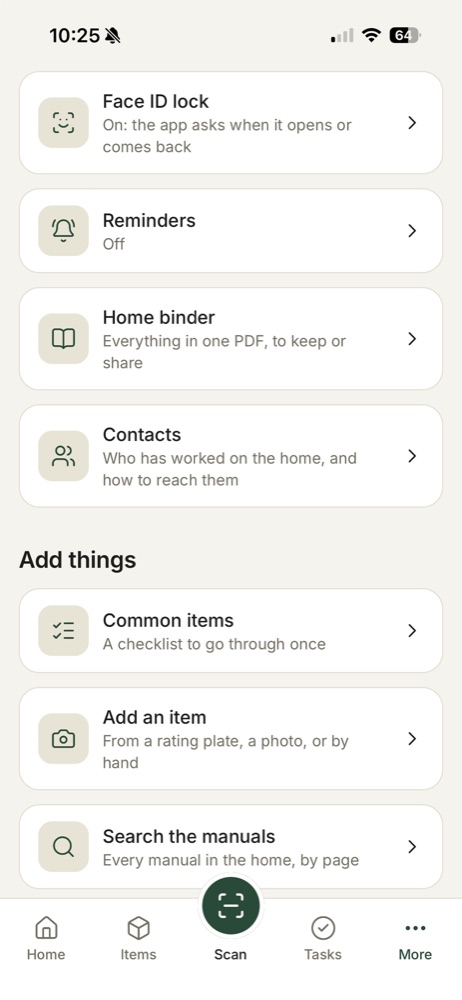
- Contacts. The people and companies that have worked on the home, with phone and email and what each did on which item. Name who did the work once and they are kept.
- The home binder. One PDF of everything: the shutoffs, the contacts, and every item with its photo, specs, cost, maintenance, history, documents, and instructions. For a sale, an insurance claim, a house sitter, or the day the phone is gone.
Labels on the things themselves
Every item has a QR label to print and stick on. Any phone in the home that scans one opens that item: the manual, the last service, the next task. A label scanned by anyone else says what it is and nothing more. Sheets for Avery label paper are coming.
Every appliance manual in one place
Found from the model number, saved to the item, searchable by page.
A maintenance schedule that runs itself
Filters, flushes, and inspections on their own dates, with reminders.
A home inventory and binder
Every item with its cost, warranty, and history, in one PDF when you need it.
Free for a month, then one price for the whole home
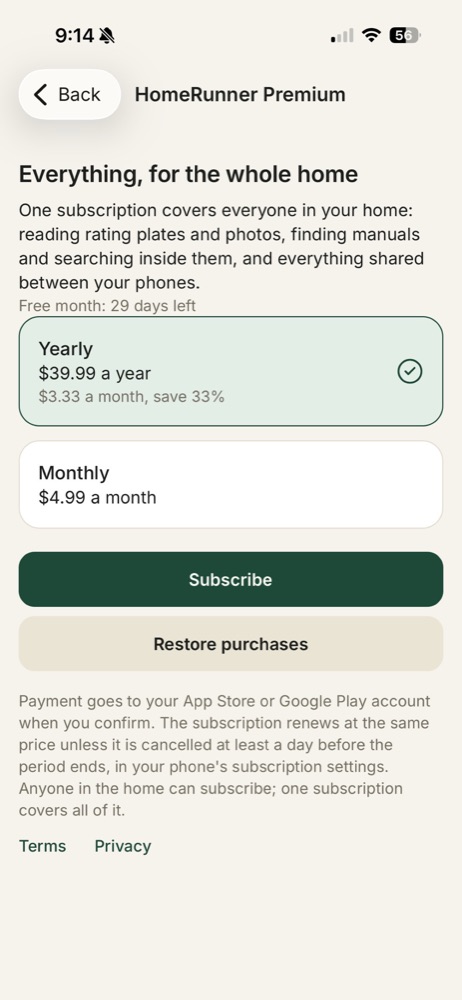
Every home starts with a free month of everything. After that it is $4.99 a month or $39.99 a year, which is $3.33 a month. One subscription covers everyone who shares the home, however many phones that is.
Billed by the App Store or Google Play. Cancel any time in your phone's subscription settings. Terms.